Marplanner

Self-hosted ยท open source ยท English & Spanish

The family planner that prints your kids' day.

Every morning, a small thermal printer next to the kitchen tablet hands each child their own paper slip: what's on today, what's for dinner, the weather, their chore streak, and a joke or a puzzle to read over breakfast. The tablet keeps the family's calendar, chores and meals on the wall all day.

Try it with a sample family, in one click

It runs in your account on the host you pick, filled with a sample family and a week of events, chores and meals.

Deploy to Render Deploy to Koyeb Deploy to DigitalOcean

View the source Install it at home

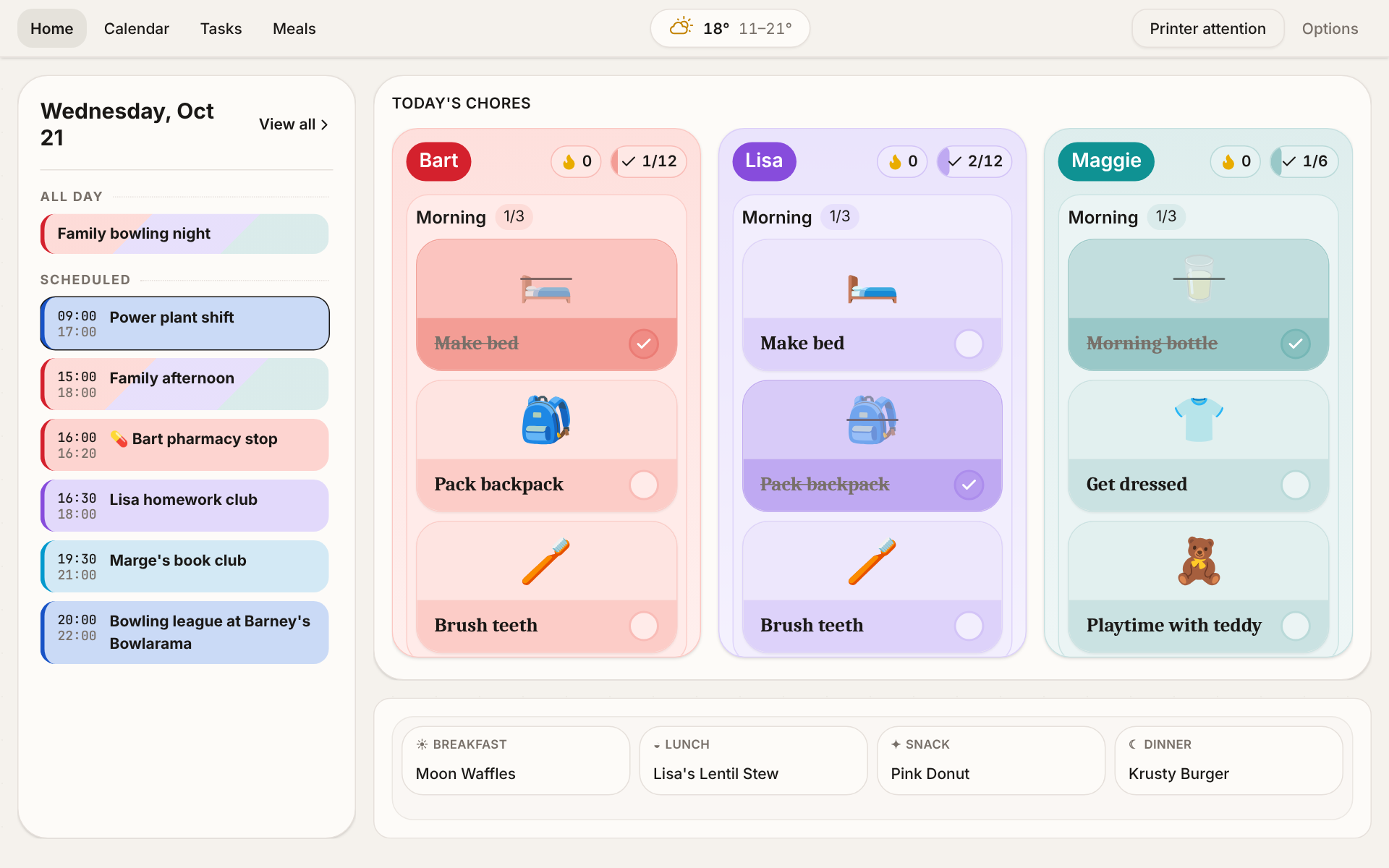
Marplanner home screen on a tablet: today's agenda, chores per child, meals and weather
A child's daily briefing slip coming out of a small thermal printer

How it works

On paper at breakfast, on the wall all day

Kids don't need another screen in the morning. Marplanner gives them a slip of paper they can read, fold and take with them, and keeps the plan for everyone else on the tablet.

  1. Before breakfast

    Each child's slip prints itself

    At the time you set, or as soon as the morning chores are ticked off. One slip per child, on the days you choose.

  2. At the table

    Their day, plus something fun

    Events, meals, weather, a note from a parent and birthday countdowns, then a dad joke, a riddle printed upside down or a word search.

  3. The rest of the day

    The tablet keeps the plan

    Calendar, chores with streaks, meals and reminders on the kitchen wall, and the time read out loud at the moments that matter.

Features

One planner for the whole household

Home, Calendar, Chores and Meals for everyone at the tablet. Members, settings and recovery sit in an admin area behind a PIN, and the optional features are plugins you switch on only when you want them.

A morning slip for every child

A cheap Bluetooth thermal printer next to the tablet prints each child their own slip: their events, meals, weather, reminders, a note from a parent, birthday countdowns and chore streaks.

Then the part they actually look forward to: a dad joke, the word of the day, trivia, a riddle printed upside down, a word search or a drawing prompt. More than 20 blocks to mix and match.

  • You choose who gets one, on which weekdays, and with which blocks
  • It can wait to print until the morning chores are done
  • No print server, no drivers: the browser talks to the printer directly
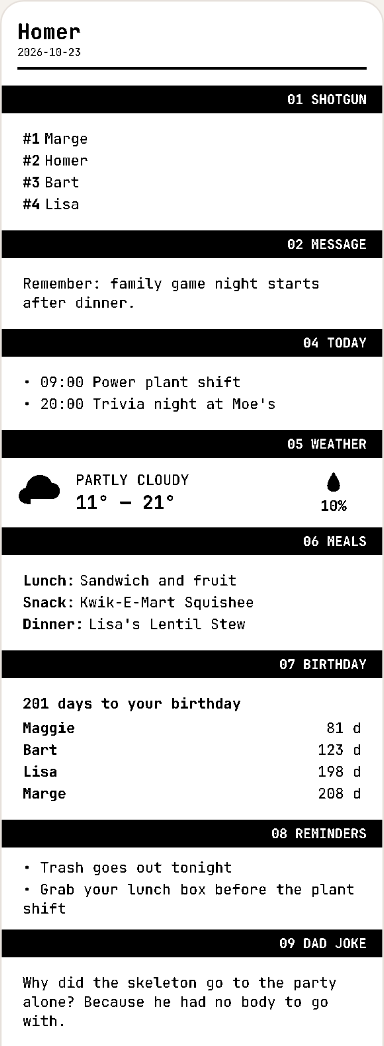
Printed briefing slip with the day's agenda and weather
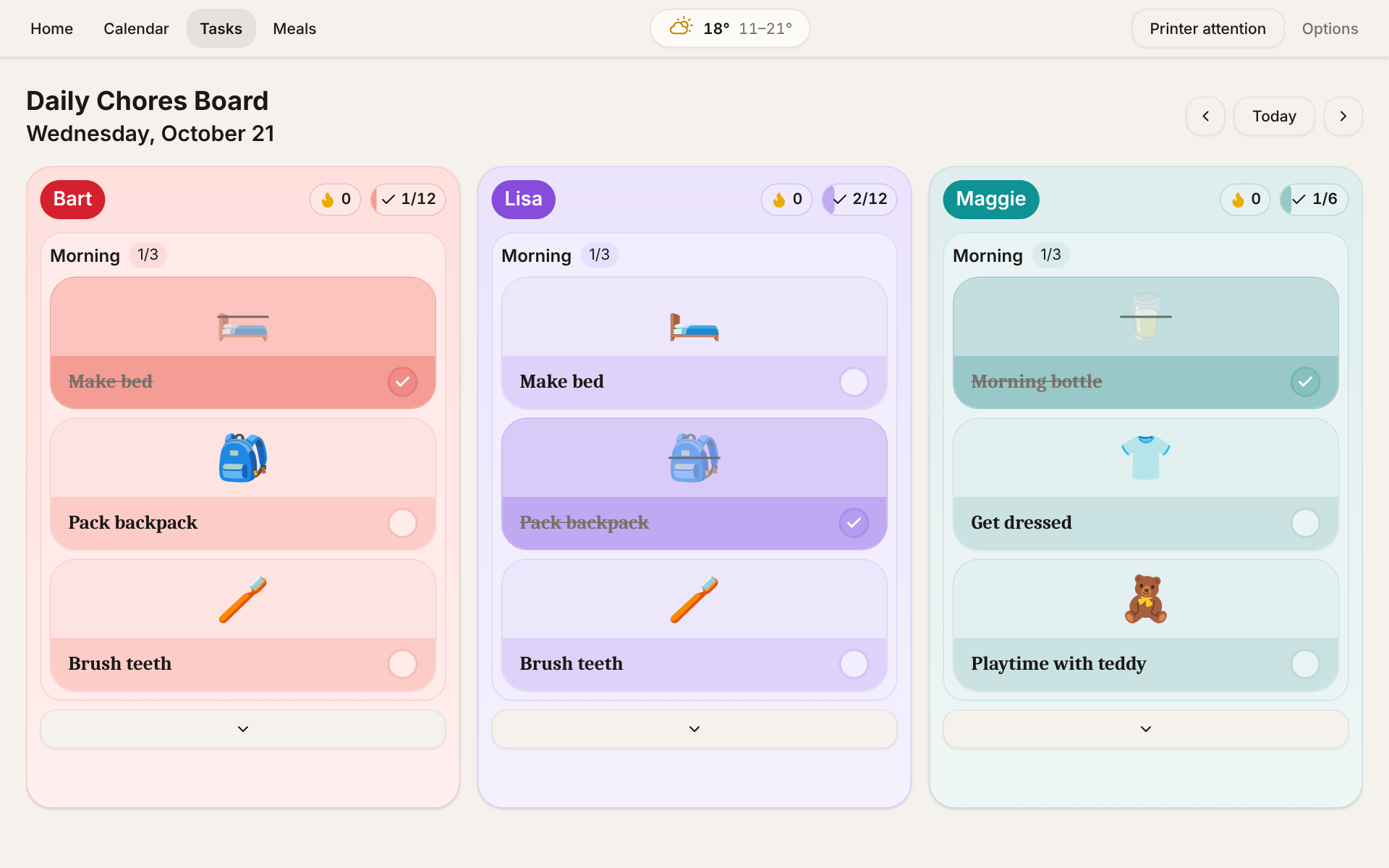
Chores board with emoji chores grouped by part of the day for each child

Routines & chores with streaks

Emoji chores grouped by part of the day, from morning to night, assigned to each child on chosen weekdays. Finishing a block plays a little jingle and keeps the streak alive.

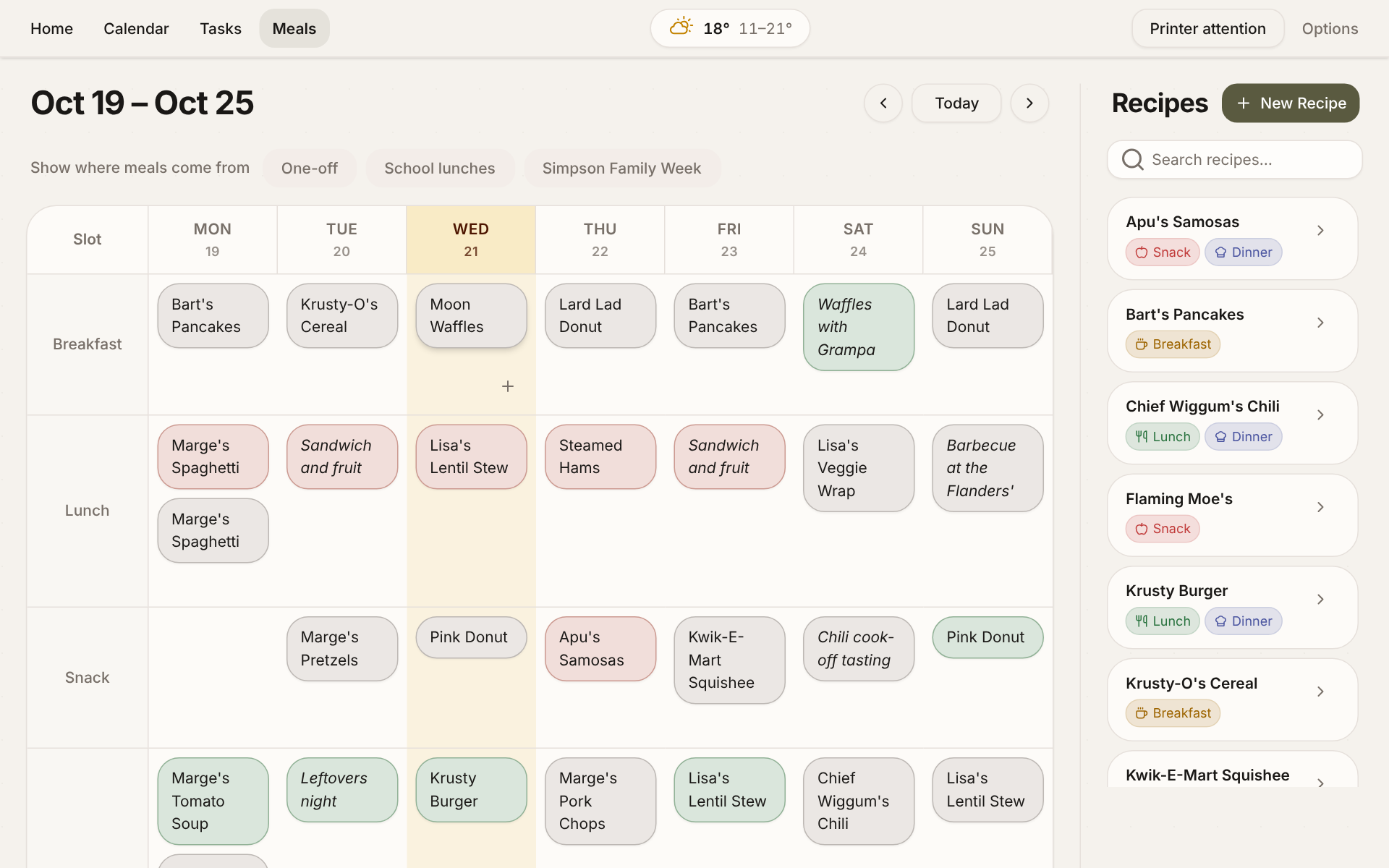
Weekly meals board

Meals & recipes

A recipe catalogue, repeating weekly plans and one-off meals, merged into one menu.

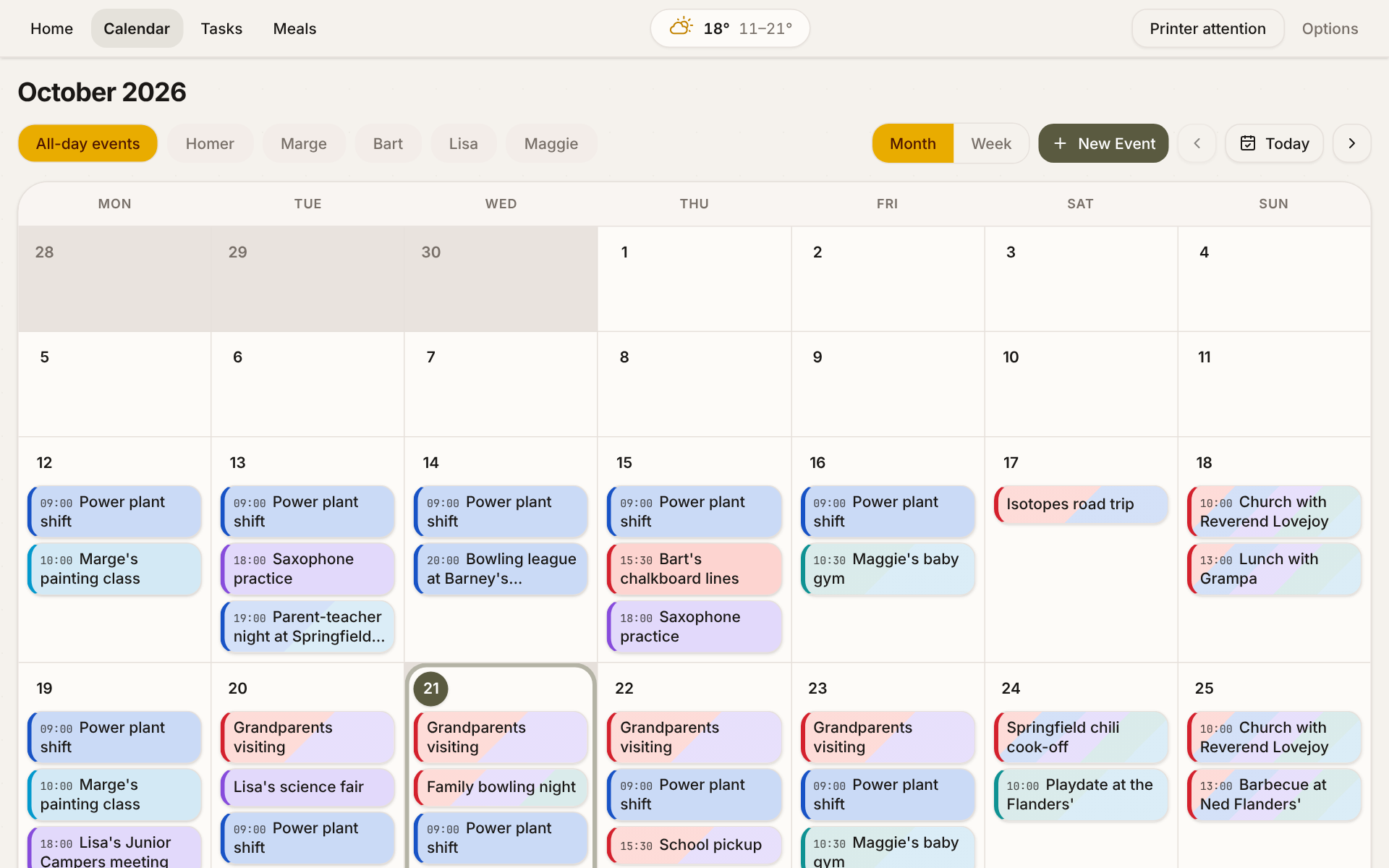
Calendar month view with colour-coded family events

Shared calendar

Your own events plus the school and work calendars you already have (ICS feeds), sorted by person automatically and decorated with emoji.

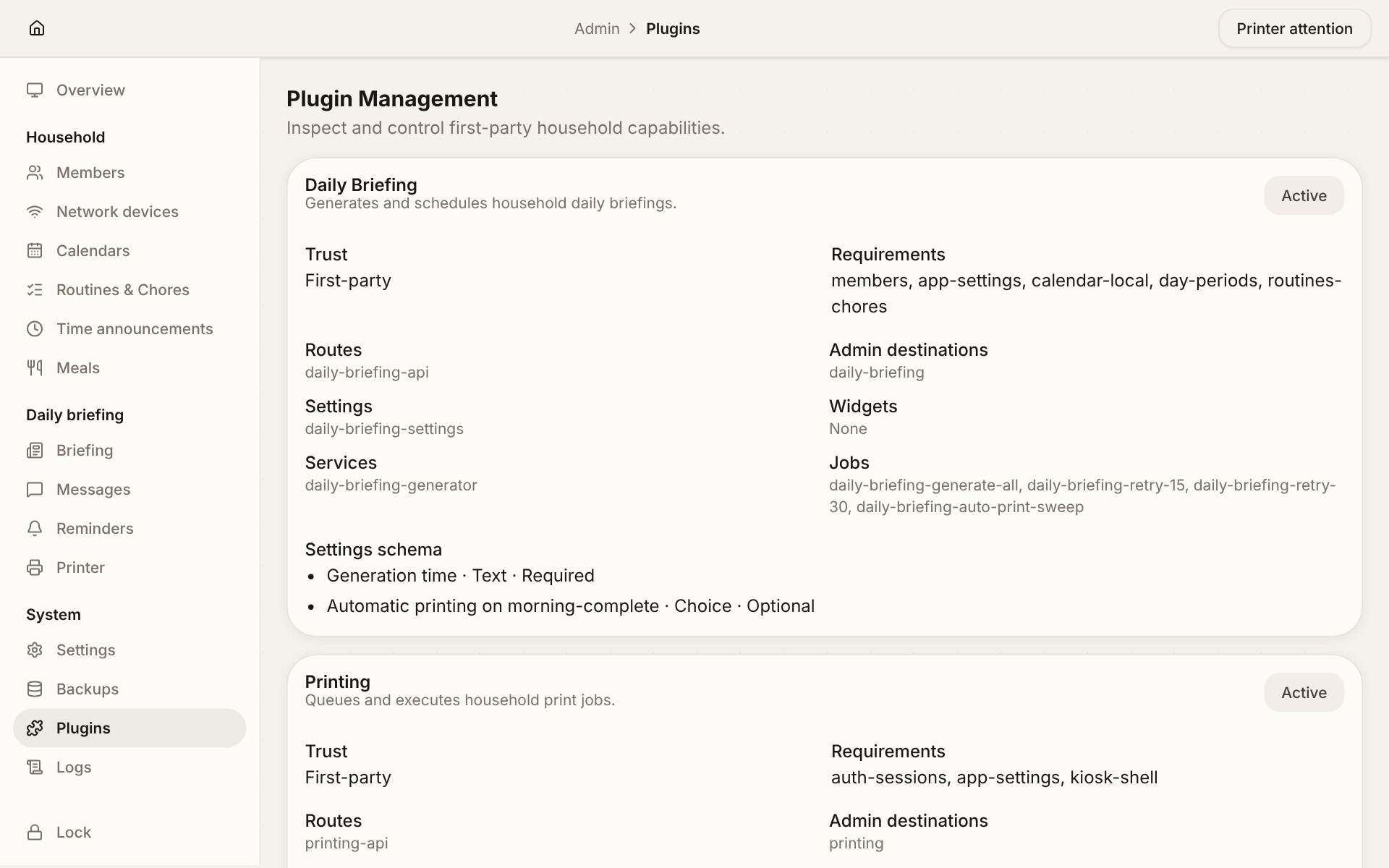
Admin plugins page with optional features to switch on

Admin behind a PIN, features as plugins

Parents manage members, content and integrations from the same tablet. Turn on only what your household uses.

Reminders & daily messages

Scheduled reminders on the wall and a message from a parent for each child, every day.

Weather, no API key

Today's forecast from Open-Meteo, on the screen and on the printed slip.

Spoken time

The tablet says the time out loud at the moments that matter: 08:15, shoes on!

Screen-time switch

Block or restore a device's internet access from the admin area. Handy at dinner time (UniFi).

Backups & restore

Snapshots of the single SQLite database, downloadable and restorable from the admin.

English & Spanish

The whole interface and the printed slip, in either language. A few puzzles are English-only for now.

Run it

From demo to your own kitchen

One Node.js server and one SQLite file. Try it in the cloud, then run it at home with Docker or straight from source.

Each button creates your own instance on that host, seeded with a sample family. Nobody runs a shared demo.

Launch Cost of the demo Data on restart or redeploy
Deploy to Render Free web service Lost (no disk on the free plan; sleeps when idle)
Deploy to Koyeb Free instance Lost (no volumes on the free instance)
Deploy to DigitalOcean Smallest paid service ($5/mo) Lost (App Platform has no persistent volumes)

Every sign-in screen shows the demo credentials prefilled:

Access token
mpg-local-change-me
Bootstrap key
mpk-local-bootstrap-change-me
Admin PIN
0000

It is a demo, not a household install. Anyone who knows these defaults can open it. For real use, set your own credentials on fresh storage, as the Docker and Node.js tabs show.

For developers

API-first: the tablet is just another client

The kiosk and the admin screens use the same documented HTTP API you can script against. Tick off a chore from Home Assistant, add events from cron, or show tonight's dinner on your own dashboard.

# Provision a device once, with the bootstrap key
curl -c jar.txt -X POST "$BASE/api/auth/provision" \
  -H "Authorization: Bearer $MP_BOOTSTRAP_KEY"

# Then call any route with its device cookie
curl -b jar.txt "$BASE/api/members"
curl -b jar.txt "$BASE/api/chores/board?date=$TODAY"
curl -b jar.txt "$BASE/api/calendar/events?from=$TODAY&to=$TOMORROW"
  • OpenAPI 3.1, generated from the code. Every route declares its schema next to its handler, and CI fails if the document drifts.
  • Closed by default. Every request is authenticated and checked against domain:verb permissions.
  • Also on your instance. Each server serves its own interactive reference at /api/docs/.

125 operations in 18 domains